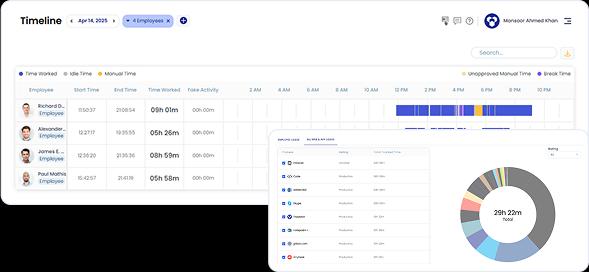
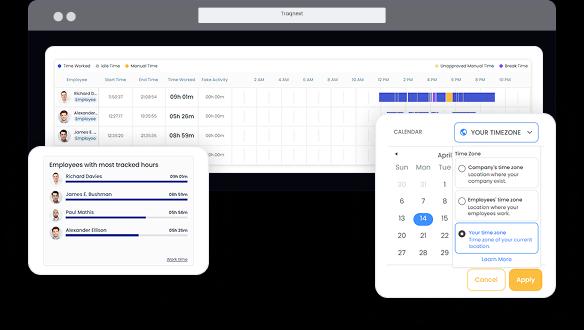
TraqNext automatically tracks every work session — start, stop, break, and idle — giving you accurate timesheets without manual input. Compare actual hours against scheduled time to spot systematic over- or under-utilisation across teams.
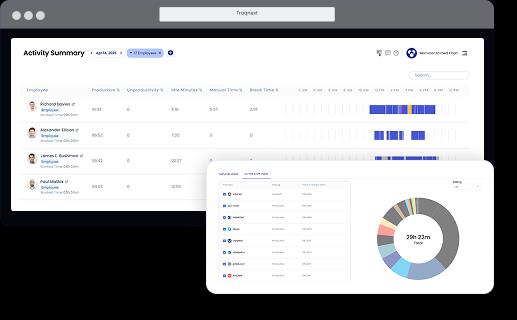
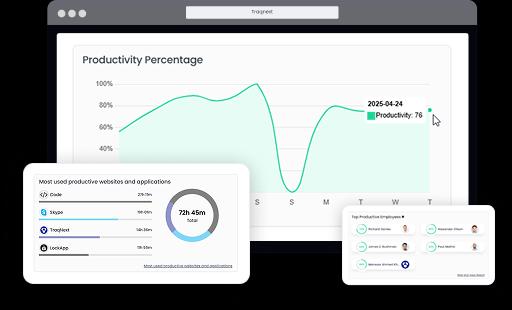
Explore Time Tracking →The Activity Summary shows exactly which tools employees use during work hours and assigns each a productivity score. You can see at a glance whether the team is deep in project work or drifting toward low-value browsing — without surveillance-style monitoring.
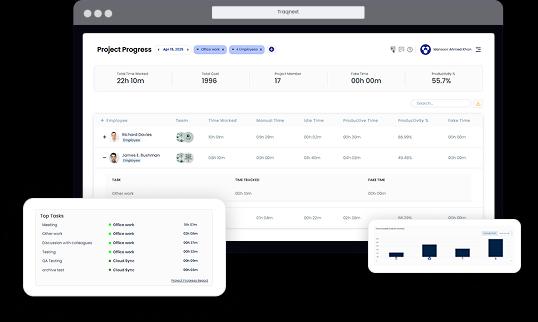
Explore Activity Monitoring →Project Progress reports display total tracked time, cost against project or employee billing rates, and activity trends over the last six months. Finance and ops teams get a single source of truth for project profitability.
Billing & Invoicing Use Case →Idle Time and Break Time reports distinguish genuine rest from unproductive drift. When idle spikes cluster around specific times, tools, or individuals, you have a data-backed starting point for process improvement — not a blame conversation.
Insights & Reporting →Predictive Burnout Analysis monitors employee wellbeing from multiple aspects — Context-Switching Fatigue, Digital Exhaustion Score, Focus vs. Fatigue Trend, and Work-Life Balance Heatmap. Sustained inefficiency is often a burnout signal, not a motivation problem.
Predictive Burnout Analytics →Time and Attendance data — including timesheets, leave records, and manual time approvals — feeds directly into workload analysis. Managers can redistribute work before a resource constraint becomes a delivery crisis.
Time & Attendance →Most workforce tools show you data. TraqNext actively watches it for you. Anomaly Detection continuously scans work activity patterns and surfaces deviations — so you're alerted to a productivity drop or unusual behaviour the moment it appears, not weeks later in a quarterly review.