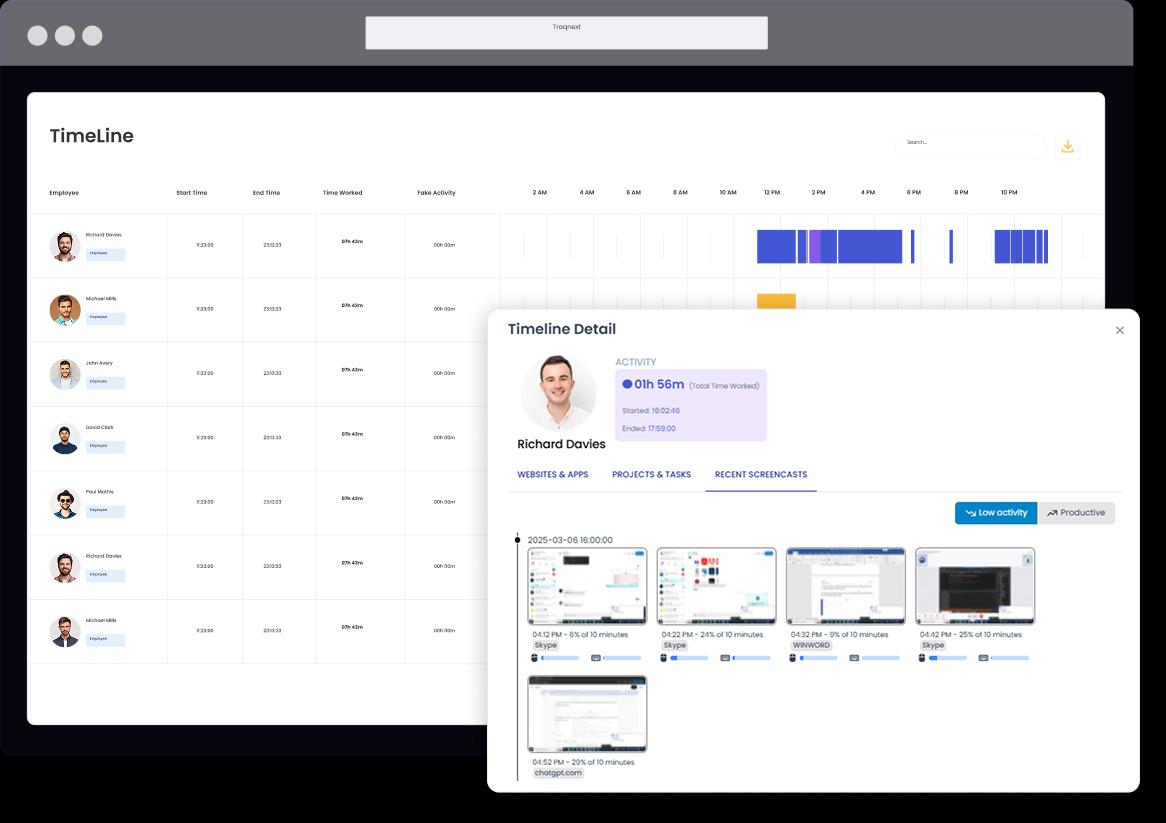
TraqNext timeline reporting generates detailed date-range reports for each employee, giving managers valuable insights into team productivity — including total work time, idle time, manual time, and break periods in one clear view. Individual reports offer a detailed overview ofwork patterns, helping managers assess how employees are progressing toward their objectives.
The timeline report offers a comprehensive breakdown of work activity, including total time worked, manual time, idle time, and break periods. By analyzing these reports, managers can identify areas for improvement, optimize workflows, and guide employees toward more efficient work habits, helping them achieve their goals more effectively.
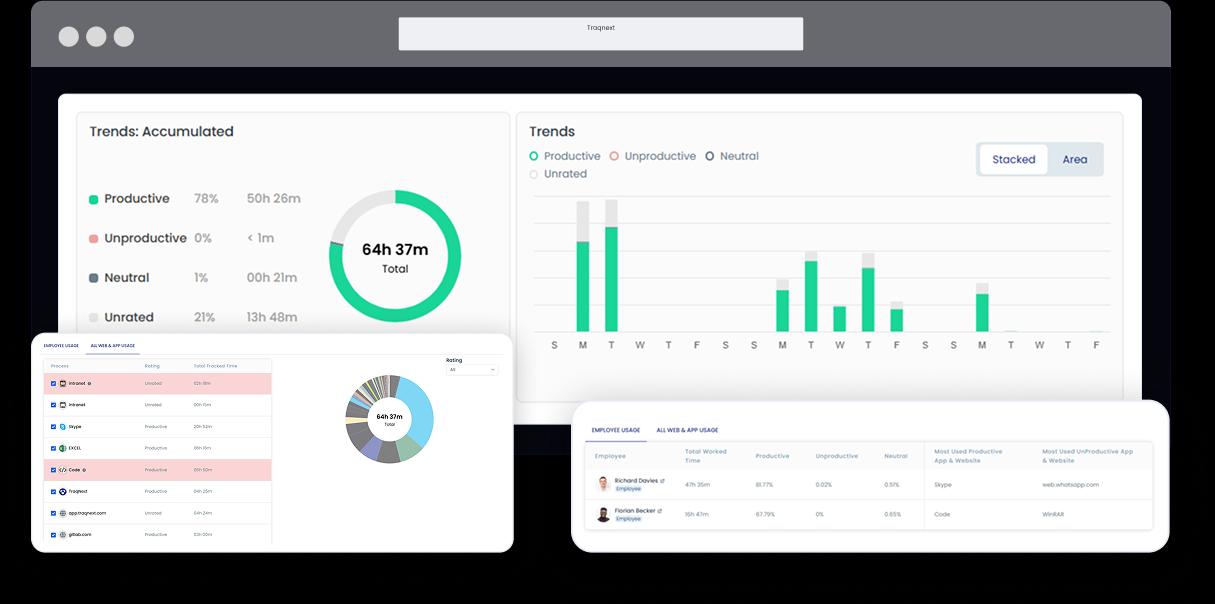
Web and app usage reporting in TraqNext is essential for tracking which websites were visited and applications used by employees during an ongoing project — categorising each as productive, unproductive, unrated, or neutral. It provides a detailed view of employee and team activity, displaying selected dates and times, along with a comprehensive chart of different ratings. The report categorizes websites and applications as productive, unproductive, unrated, or neutral, helping managers assess digital resource usage effectively.
By leveraging these insights, managers can identify potential distractions, ensure employees are utilizing the right tools for their tasks, and implement necessary adjustments to improve productivity. The report also helps in recognizing patterns of inefficient software usage, allowing businesses to refine workflows, enforce best practices, and create a more focused work environment. Additionally, the ability to filter and analyze data by specific teams or individuals ensures tailored performance evaluations and informed decision-making.
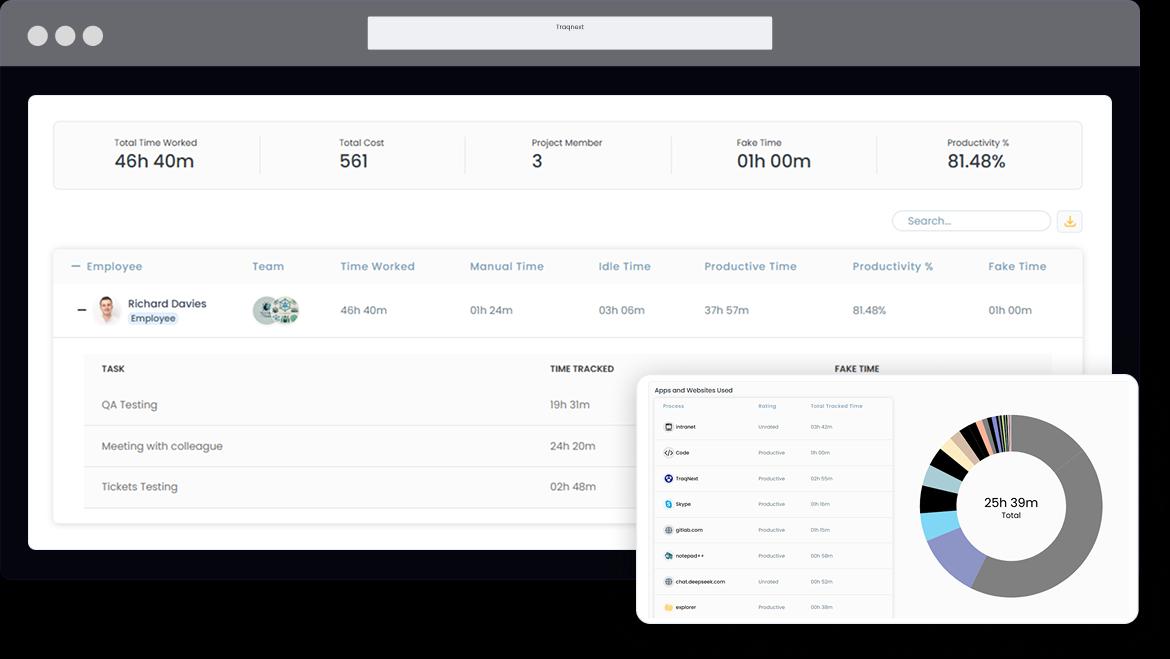
Project cost reporting in TraqNext is crucial for tracking time, labour costs, and key performance metrics for both ongoing and completed projects — giving businesses full financial visibility over every engagement. While some projects extend over long periods, others are completed quickly. With comprehensive reporting, organizations can maintain high productivity levels while ensuring timely delivery to clients.
TraqNext simplifies project and task reporting, making it effortless to generate detailed insights. Whether you need an in-depth report on a long-term project or a daily task summary, the application delivers precise and accurate data. From calculating total costs and work hours to monitoring team efforts and productivity, TraqNext provides complete transparency, helping businesses optimize performance and meet deadlines with confidence.
TraqNext provides detailed insights into employee work habits through four key reports: Work Time, Idle Time, Break Time, and Manual Time. These reports help company owners and managers assess productivity, spot burnout risk trends, identify inefficiencies, and optimize workflows.
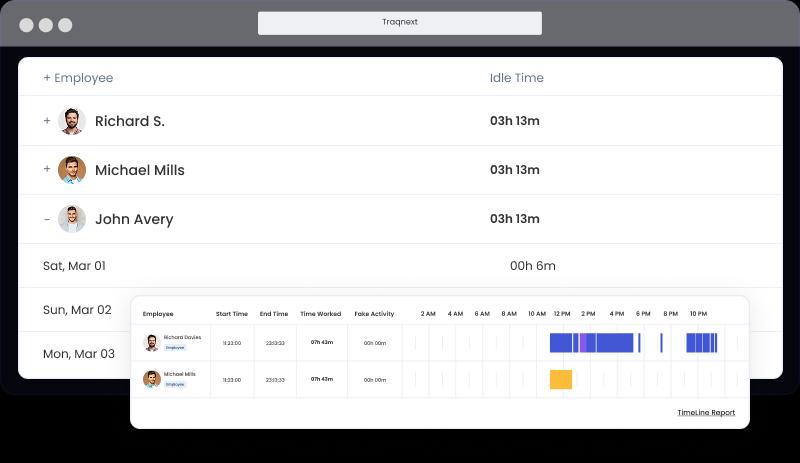
It provides a detailed overview of the total hours logged by employees each day, offering a clear record of daily work durations. This report helps managers assess individual and team work patterns while ensuring accurate tracking of work hours in a single, organized view.
It provides a detailed overview of total inactivity in minutes and hours throughout the workday, offering a clear breakdown of idle durations for each employee on a daily basis. This report helps managers identify potential distractions or unproductive gaps that may require workflow adjustments to improve efficiency.
It provides a detailed overview of the total break time logged by employees each day, offering insights into individual and team work patterns. This report helps managers ensure a balanced work routine, allowing employees to take necessary breaks while maintaining overall productivity.
It provides a detailed overview of the total manually added work hours logged by employees each day, offering insights into their daily work durations. This report helps managers monitor individual and team work patterns while minimizing reliance on manual time entries, to ensure accurate and automated time tracking.
Shareable workforce reports in TraqNext are generated effortlessly and distributed with equal ease — export in your preferred format and share with managers, clients, or executives in seconds. Once a report is generated, you can select the desired format, export the file, and store it for future reference. This allows managers to seamlessly review team progress and present insights when needed. Managers can also share these reports with concerned people, including customers, top management or anyone else who requires this information.
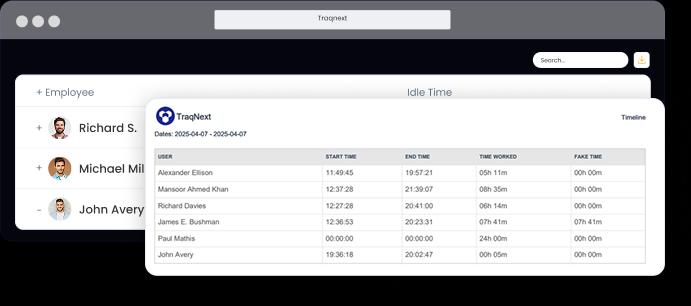
TraqNext generates timeline reports, work time reports, idle time reports, break time reports, manual time reports, web and app usage reports, project and task reports, and activity summaries. All reports can be filtered by employee, team, date range, and project.
Yes. TraqNext provides a real-time dashboard showing individual and team work hours, productivity scores, active tasks, and attendance status. Managers can drill down into any time segment for a detailed breakdown of how that time was spent.
Yes. Reports can be exported and shared with clients, senior management, or any stakeholder who needs visibility into project progress, time spent, and costs incurred. This makes TraqNext useful as a client-facing proof of work and billing verification tool.
Keep your teams efficient while ensuring privacy and compliance, with help just a click away.
Explore today - full access, no credit card required!
Learn more about using this feature
