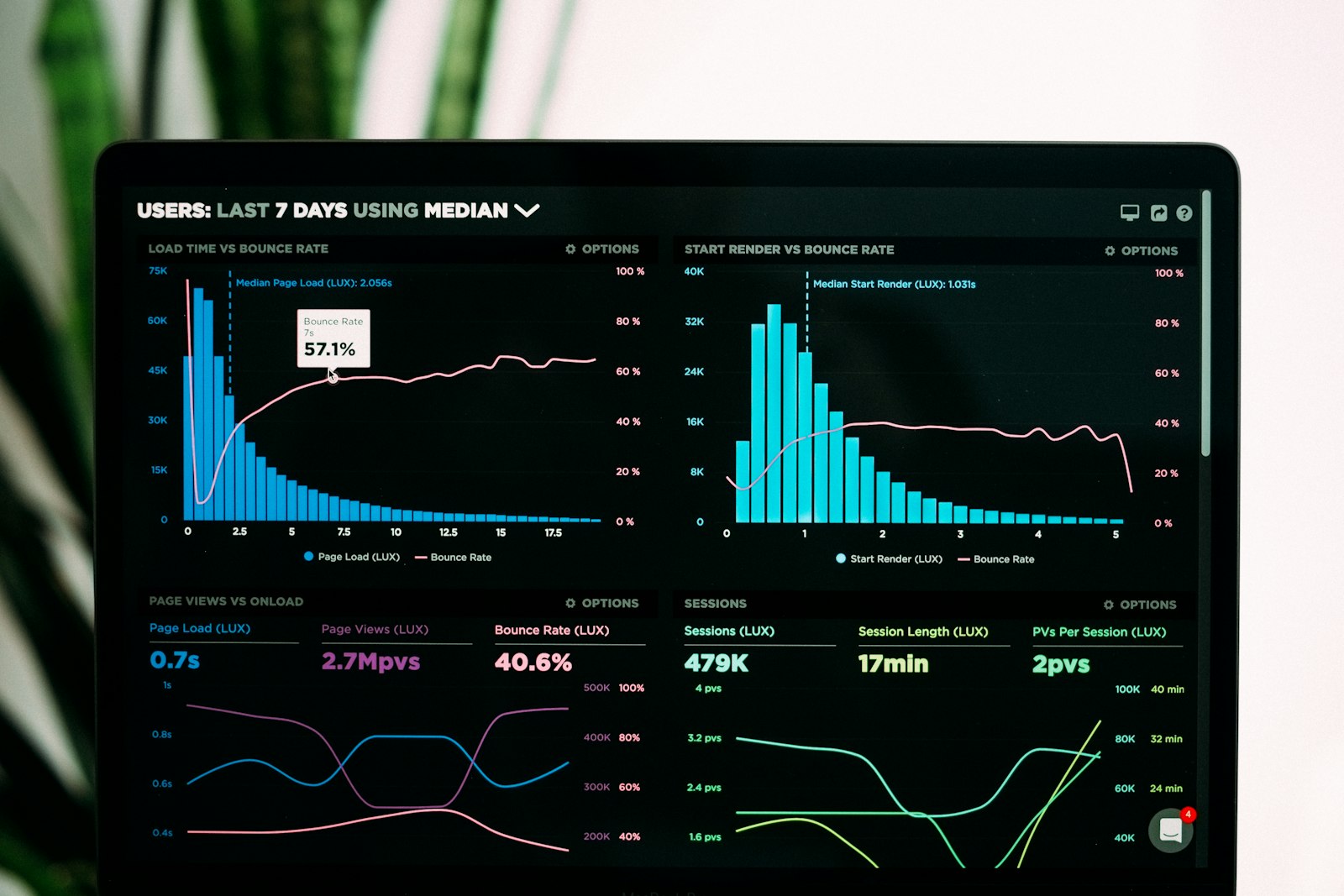
Behavioral dashboards can tell you exactly when focus dipped this afternoon. They can’t approve the day’s timesheet, bill those hours to a client, or run them into a payroll batch. That disconnect — rich data on one side, zero execution on the other — is where a lot of operations teams quietly lose their week.
It shows up as a familiar pattern. A manager pulls a productivity report on Friday and closes the laptop feeling informed. Then part of Monday goes to manually re-keying the same hours into a separate payroll or invoicing tool.
Personal Experience: Having watched this workflow play out across HR-tech client environments, the pattern repeats almost verbatim regardless of company size. The analytics get more sophisticated every year, but the reconciliation step never disappears.
This piece breaks down exactly where that operations gap shows up in workforce-analytics-first platforms. It also shows what a tracking-to-payroll workflow looks like when it’s built to close instead of widen it.
TL;DR: Workforce analytics platforms surface rich productivity trends but weren’t built to approve timesheets, calculate billable costs, or run payroll — operations teams still bridge that gap by hand. Reconciling time-tracking data with separate payroll systems creates real administrative overhead. TraqNext closes the loop with tracking, attendance, billing, and payroll in one system.
How Is Workforce Analytics Different From Time Tracking?
Workforce analytics platforms are built to answer “how is work happening” — think focus-time patterns, app usage, and burnout signals. Operational time tracking platforms are built to answer a narrower, more urgent question. “What do I approve, bill, and pay, today?” Time tracking historically ensured payroll accuracy and compliance for years. But as work has become distributed and outcome-driven, that alone stopped being enough on its own (Desklog, 2026).
The split isn’t accidental. Behavioral analytics tools grew out of the productivity-visibility side of the market — dashboards, trend lines, activity scores. Operational platforms grew out of the opposite need: getting hours from a timesheet into a payroll run without three extra spreadsheets in between. Both categories solve real problems. Few tools solve both at once.
Think about who actually opens each type of report. A behavioral analytics dashboard is usually pulled up by an HR business partner or a team lead trying to understand a pattern. Why did focus time drop across the design team last month? Which apps are eating into deep work? An operational timesheet report gets pulled up by someone in finance or ops who needs a number by end of day. That number is hours to approve, dollars to bill, a payroll file to submit before the cutoff. Different question, different urgency, different consequence if the answer is wrong.
That distinction matters more as teams scale. A 15-person startup can tolerate a manager eyeballing a dashboard and manually approving hours in a spreadsheet. A 200-person distributed operation, or a BPO team billing multiple clients on different rate cards, can’t absorb that same manual step. It becomes a full-time reconciliation job. The gap between “here’s what happened” and “here’s what to do about it, automatically” widens as headcount grows. That’s exactly when it starts costing real money.

Isn’t more visibility supposed to fix this on its own? Not really. Visibility and execution are different muscles. A platform can be excellent at one while leaving the other to whoever’s holding the spreadsheet on Monday morning.
See how TraqNext handles timesheet approval and leave management in practice.
Where Does Behavioral-Analytics Coverage Typically Stop?
Workforce analytics platforms optimize for pattern visibility, not transactional accuracy — and that tradeoff shows up clearly once you look past the dashboard. ActivTrak, for example, doesn’t do keystroke logging and isn’t built around detailed “proof-of-work” capture the way operational tracking tools are (Apploye, 2026). That’s a deliberate design choice, not a flaw, but it has downstream consequences for teams that need transactional precision.
Reconciling time-tracking data pulled from a pure analytics platform with a separate payroll system creates real administrative overhead. This limitation shows up repeatedly across independent tool reviews. On top of that, reviewers note ActivTrak doesn’t offer built-in project or task management. Companies that require strictly on-premise deployment may find it doesn’t align with their technical requirements (PeopleManagingPeople, 2026).
Pricing compounds the issue. Behavioral-analytics platforms often gate critical features at higher tiers. That means the real operational cost can exceed initial per-seat expectations once a team needs the features that were locked behind a plan upgrade.
| Capability | Behavioral-Analytics-Only Platform | TraqNext |
|---|---|---|
| Activity & productivity tracking | Yes | Yes |
| Timesheets & leave approval | Limited | Yes |
| Project & employee billing rates | Minimal | Yes |
| Automated payroll from tracked hours | Minimal | Yes |
| Task & project management | Minimal | Yes |
| On-premises deployment & white-labeling | Varies by vendor | Yes |
TraqNext’s Anomaly Detection can spot unusual productivity patterns before they escalate.
Why Doesn’t More Behavioral Data Close the Operations Gap?
More dashboards and richer behavioral signals don’t shrink the manual reconciliation step. They just make the report a manager reads more detailed without making it more actionable. More data and longer hours haven’t solved productivity challenges on their own. Leaders still struggle to see where work slows down and how workloads affect performance (Desklog, 2026).
That’s not a knock on analytics as a category — it’s a scale problem. The employee monitoring software market was valued at $3.89 billion in 2025. It’s projected to reach $4.59 billion in 2026, growing at a 15.9% compound annual growth rate through 2030 (Worktime.com, 2026). A market growing that fast on the “more dashboards” side of the ledger tells its own story. Differentiation increasingly has to come from execution, not another chart.

Unique Insight: Most competitive comparisons in this space frame the debate as “whose dashboards are better.” That misses the more consequential question. Does the platform turn tracked hours into an approved timesheet, a client invoice, or a payroll line — or does someone still have to do that by hand? Analytics without an execution layer isn’t an operations tool. It’s a reporting cost center with better charts.
See how teams use TraqNext to close the operations gap in day-to-day workflows.
What Does an Operations-Ready Tracking Stack Actually Include?
An operations-ready platform connects tracked time directly to attendance approval, project and employee billing rates, and automated payroll. There’s no separate reconciliation step in between. Attendance is captured the moment a user starts tracking, with no manual sign-in process required to establish the record.
TraqNext’s Time & Attendance module handles timesheets, leave management, and paid/unpaid leave approval in the same place tracked hours originate. User & Team Management extends that across hybrid, remote, and in-office teams without forcing managers to stitch together separate tools for each work arrangement. Project Billable Rates apply at both the project level and the employee level, with cost automatically calculated from tracked hours — no export-and-recalculate step required. Payroll then runs directly from that same tracked-hours data, and Easy Onboarding assigns role and project access the moment a new hire is invited.
Learn more about timesheet approval and leave management inside TraqNext.
How Does Predictive Burnout Analysis Extend the Operations Picture?
Beyond attendance and billing, operations teams also need early signals before workload issues turn into turnover or missed deadlines. This is where behavioral analytics still earns its place, paired with execution rather than instead of it. Continuous analytics is shifting workforce data from retrospective reporting into operational decision support, particularly around retention, engagement, and capacity management (AIHR, 2026).
TraqNext layers Predictive Burnout Analysis from multiple aspects on top of the operational base: a Context-Switching Fatigue Index, Digital Exhaustion Score, Focus vs. Fatigue Trend, and Work-Life Balance Heatmap. Anomaly Detection runs alongside it, surfacing unusual activity patterns like sudden productivity drops before they show up in a quarterly review. Neither replaces the operational layer — they extend what a manager sees once attendance, billing, and payroll are already handled.
This is also where the operations-versus-analytics framing gets a little less binary. A platform that only tracks hours and runs payroll, with no early-warning layer at all, leaves a blind spot. A wave of resignations can hit without warning if it never shows up in the data. The point isn’t to choose analytics or execution. It’s to make sure the analytics feed directly into the operational tools that can actually respond. Otherwise they just live in a separate dashboard nobody checks until it’s too late.
Explore Predictive Burnout Analysis from multiple aspects in more detail.
What Should Enterprise and Distributed Teams Weigh Before Choosing?
The right platform depends on whether an organization needs a pure behavioral-analytics layer or a combined tracking-to-payroll operations system. Increasingly, most organizations need both. Deployment flexibility is a real differentiator here. TraqNext offers full on-premises Enterprise deployment and white-labeling, with GDPR support built in and dedicated implementation support for enterprise IT teams.
Setup speed matters more than it gets credit for. TraqNext setup takes only a few minutes, with tracking data syncing to the dashboard immediately. There’s no multi-week rollout phase standing between signup and usable data. That matters especially for BPO and distributed-team environments. Most workforce analytics tools are designed with office-based or continuously connected employees in mind. That leaves field technicians, retail staff, and mobile workers outside the core assumption most platforms are built on (AnySecura, 2026).

For a BPO team specifically, this plays out concretely. A field-based or shift-based workforce doesn’t fit neatly into an always-online behavioral analytics model built around continuous app and web usage. What matters more for that team is whether attendance gets captured accurately the moment someone clocks in. It’s also whether billing rates can be set per client and per employee, and whether payroll can run without someone manually cross-referencing three different timesheets. Those are operational questions, not analytics questions. They’re the ones that determine whether a BPO or enterprise IT team actually adopts a platform past the pilot phase.
Read more about TraqNext’s enterprise on-premises deployment and white-labeling options.
Frequently Asked Questions
What is the operations gap in workforce analytics?
It’s the manual work required to turn behavioral or productivity data into operational outcomes — approved timesheets, client invoices, payroll runs. Reconciling time-tracking data with a separate payroll system creates documented administrative overhead for organizations that rely on two disconnected tools (Teramind, 2026).
Is workforce analytics enough for enterprise operations teams?
Analytics alone identifies patterns and risk signals but doesn’t execute approvals or payments. Organizations that need to link workforce data directly to business outcomes may find pure analytics platforms insufficient for CFO-level operational decisions.
Can TraqNext be deployed on-premises for strict data-residency requirements?
Yes. TraqNext offers full on-premises Enterprise deployment and white-labeling, alongside GDPR support, for organizations with data-residency or IT policy requirements that rule out cloud-only platforms.
How long does it take to set up an operations-ready tracking platform?
TraqNext setup takes only a few minutes, with tracking data syncing to the dashboard immediately. There’s no lengthy configuration or rollout phase standing between signup and usable attendance, billing, and payroll data.
Key Takeaways
- Workforce analytics and operational execution solve different problems — one shows patterns, the other approves, bills, and pays.
- The manual reconciliation step between analytics tools and payroll systems is the real hidden cost, not a footnote.
- Burnout and anomaly signals deliver the most value when they sit on top of an execution layer, not in place of one.
- Deployment flexibility and setup speed matter as much as feature depth once enterprise IT gets involved.
Bring tracking, attendance, billing, and payroll into one platform — no more manual reconciliation between tools.
Explore today – full access, no credit card required!
Related articles
Continue reading with more posts from the same category.
