Attendance & Scheduling
Employee Timesheet
Timesheets help businesses accurately record employee work hours, including late hours, break hours, check-in before shift and check-out after shift. By providing a clear overview of daily activities, managers can assess productivity, streamline workflows, and enhance overall time management.
With flexible display settings and export capabilities, timesheets provide key analytics for assessing work patterns and enhancing operational workflows. Utilizing this information strategically enables businesses to boost productivity, refine processes, and drive informed decision-making to reach their goals.
See What Your Employee Timesheets Look Like
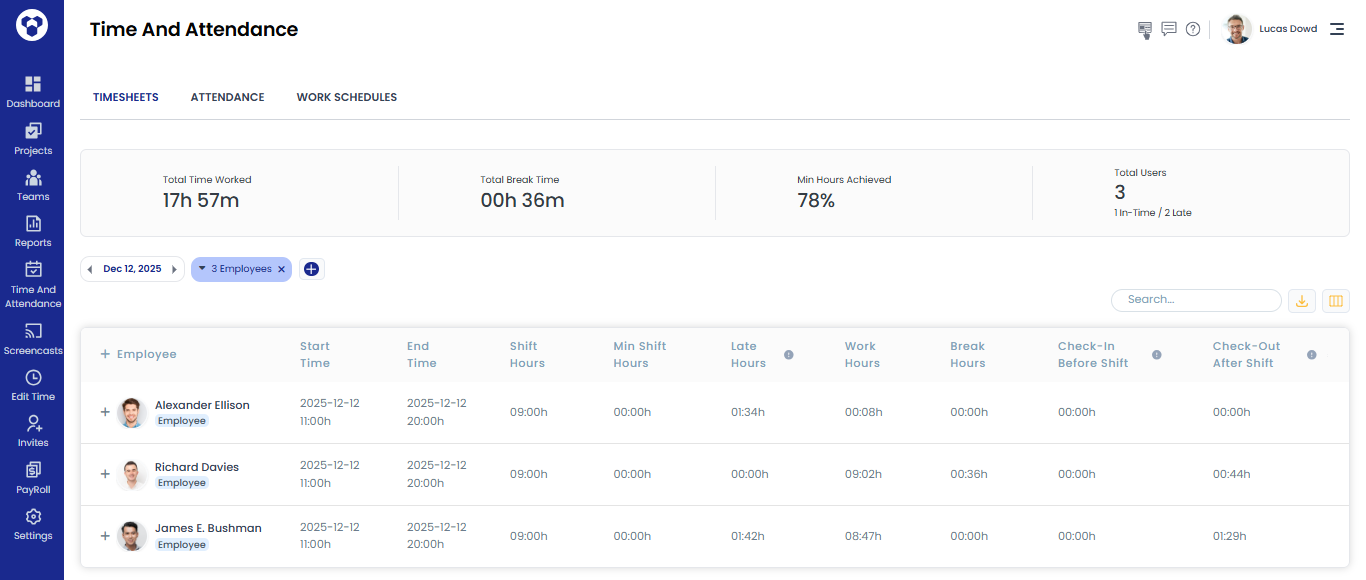
Columns / Stats for Employees in the Timesheets Tab
• Total Time Tracked
• Total Break Time
• Min Hours Achieved
• Total Users
• Employee name
• Start Time
• End Time
• Shift Hours
• Min Shift Hours
• Late Hours
• Work Hours
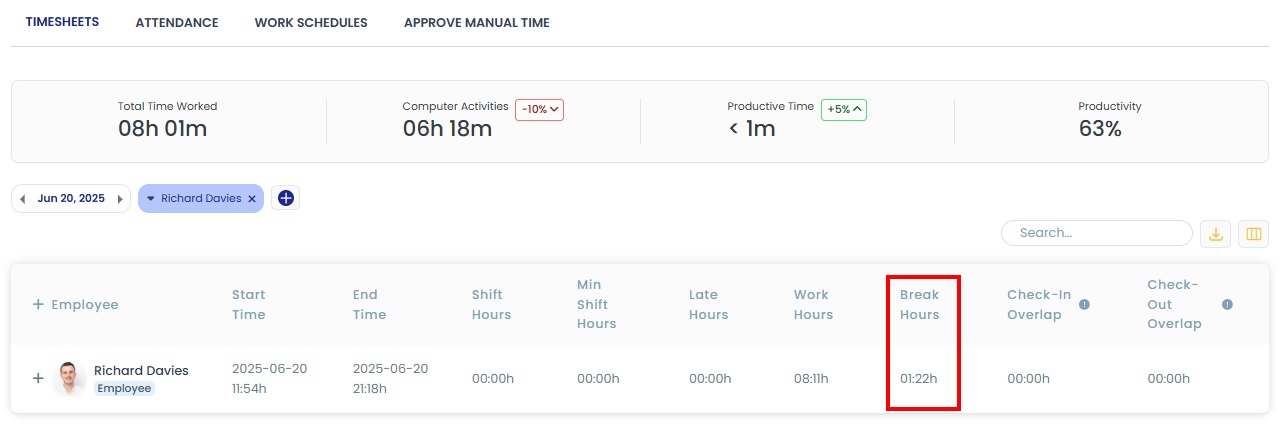
• Break Hours
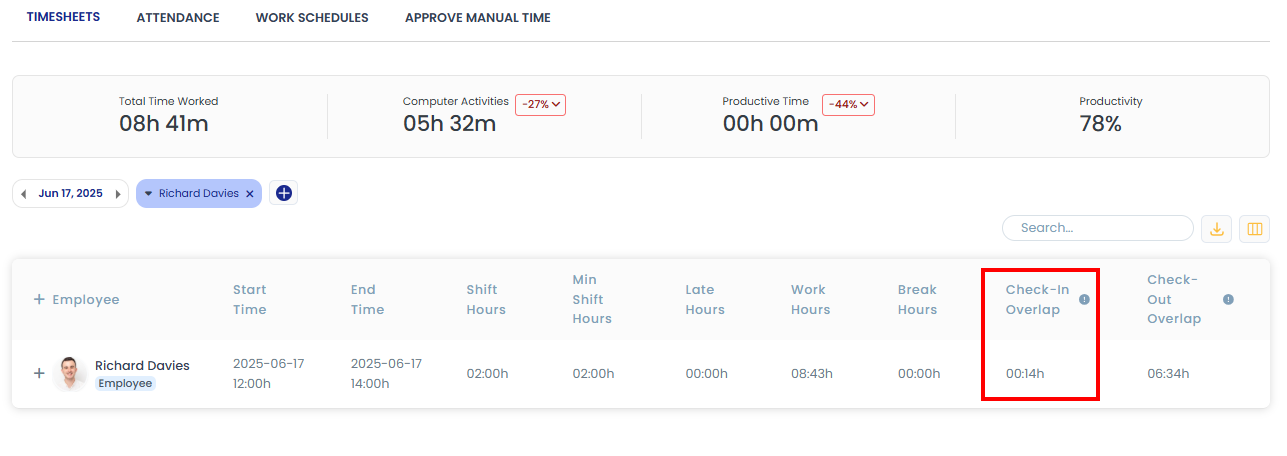
• Check-in Before Shift
• Check-out After Shift
Understanding Each Column:
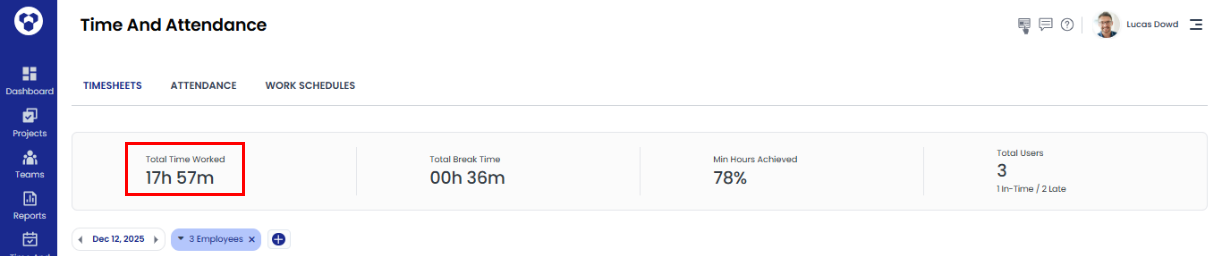
Total Time Tracked
This stat will show the user's total tracked time, including work time, idle time, productive time, and unproductive time.
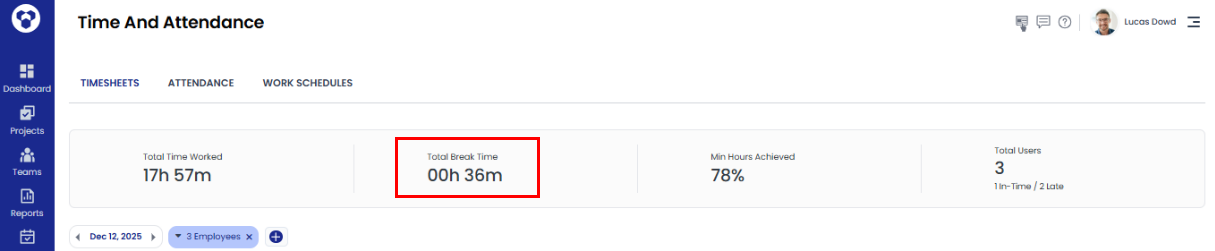
Total Break Time
This stat will show the user's total break time.
Min Hours Achieved
Min Hours Achieved is calculated based on the minimum shift hours.
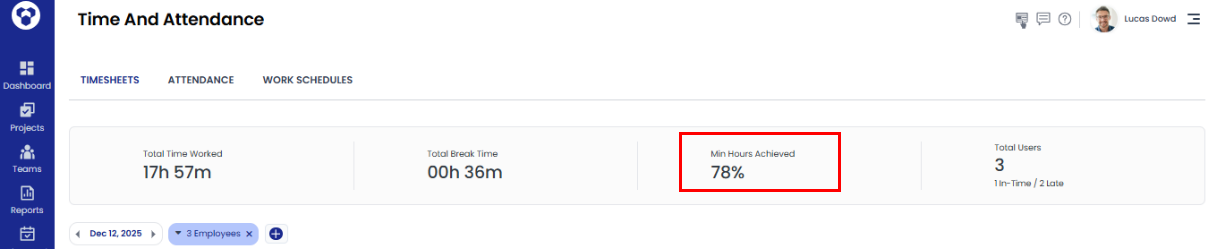
Note: This will be calculated only when a shift is assigned, it will not be calculated without a shift.
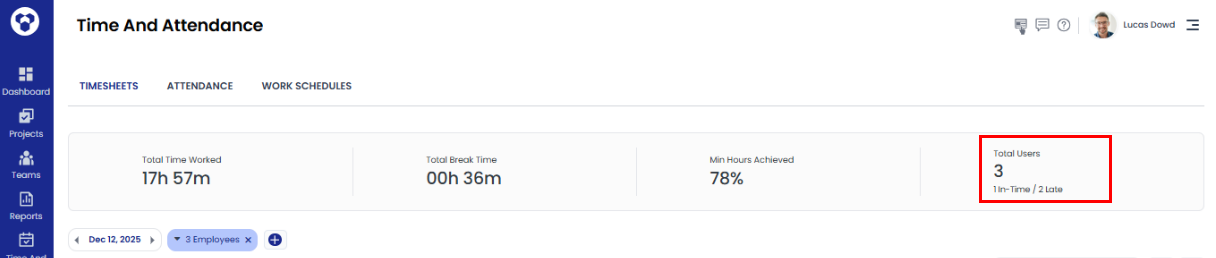
Total Users:
This stat shows the attendance count (in-time and late) for the selected users in the filter.
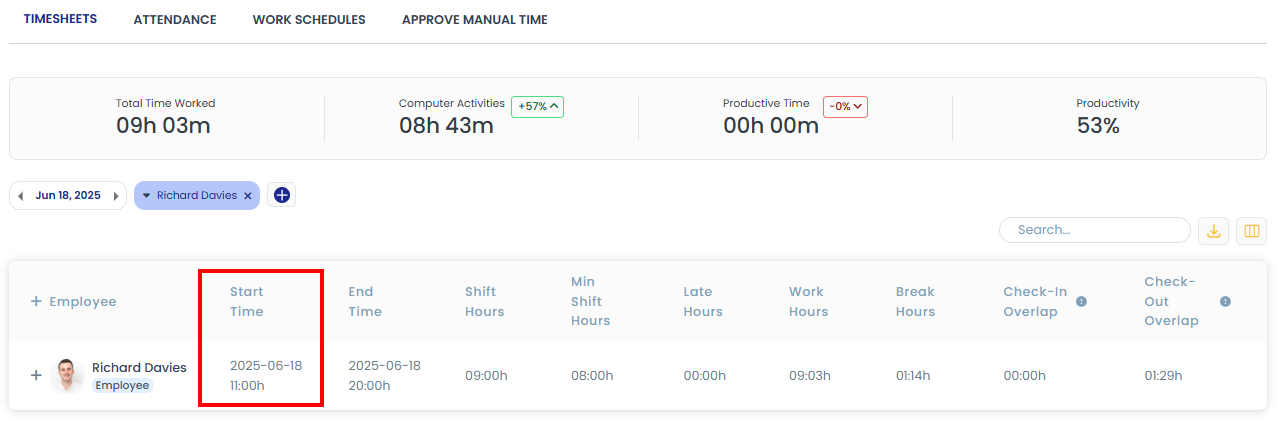
Start Time
For Planned Shift: Start time indicates the user's shift start time.
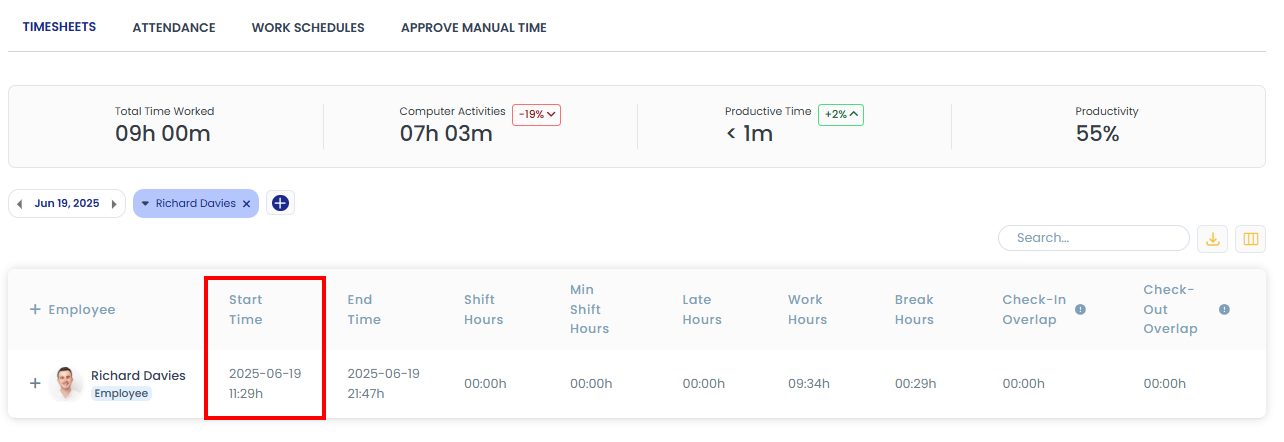
For Unplanned Shift: If the user's shift is not planned, the time when the user starts tracking will be considered as the start time.
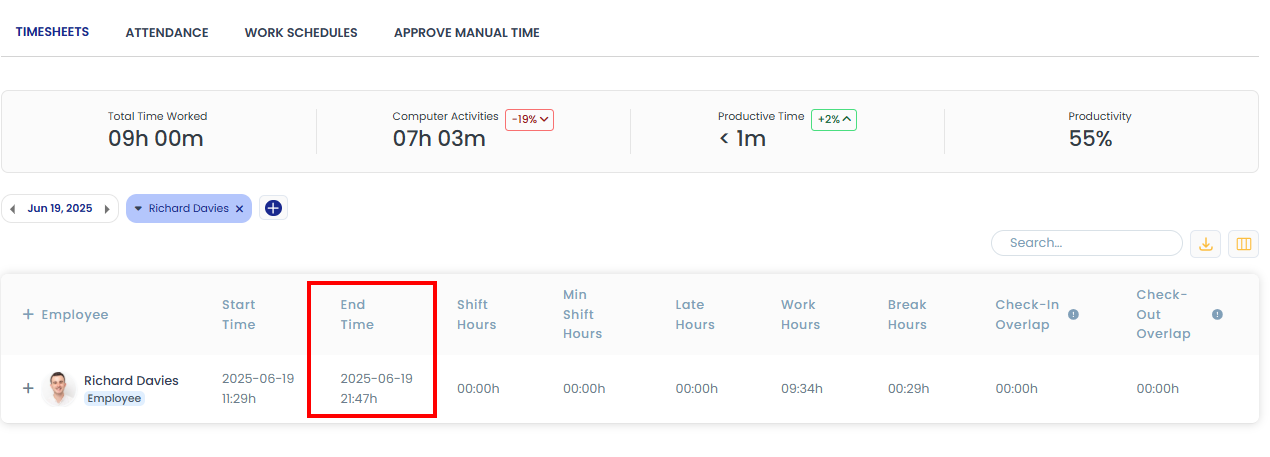
End Time
For Planned Shift: End time indicates the user's shift end time.
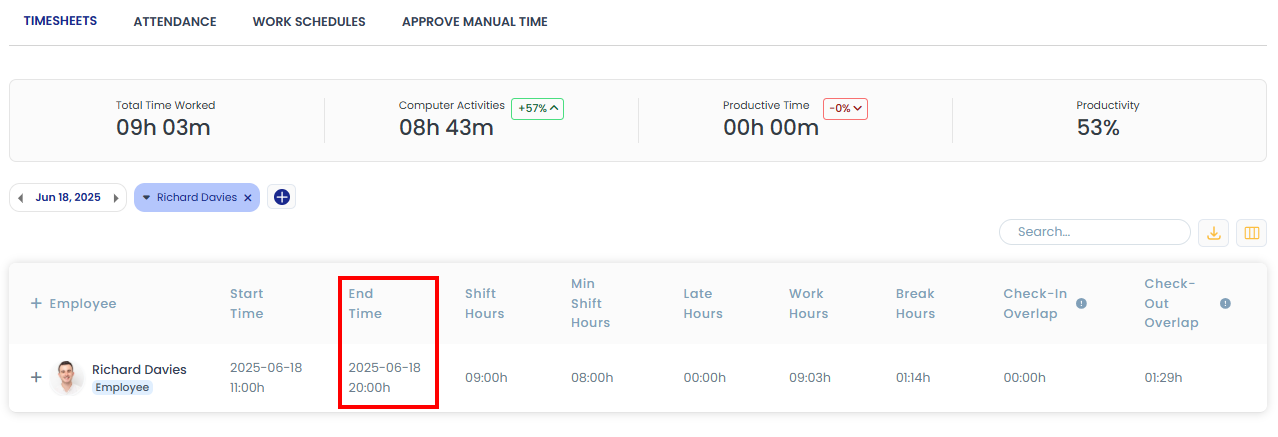
For Unplanned Shift: If the user's shift is not planned, the time when the user stops tracking will be considered as the end time.
Shift Hours
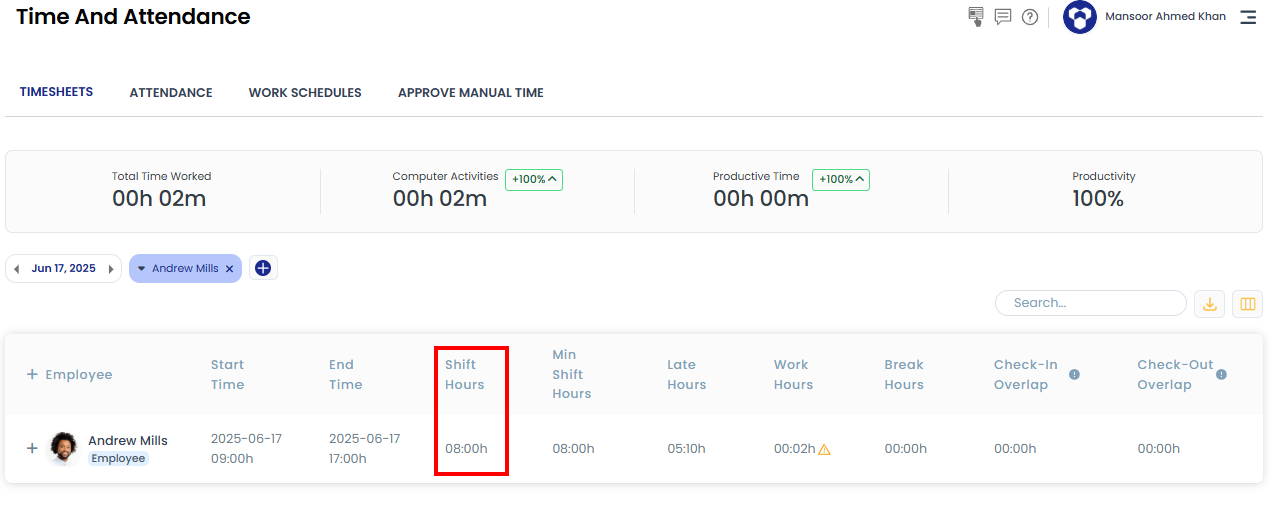
This time indicates the user's shift hours, showing how long the shift is.
For example: if a shift is from 9 AM to 5 PM, the shift hours will be 08:00 hours.
Min Shift Hours
When the admin creates the user's shift, they will also set the user's minimum shift hours.
Note: If the user's Work Hours are less than the Min shift hours they will be indicated with an alert icon.

Late Hours
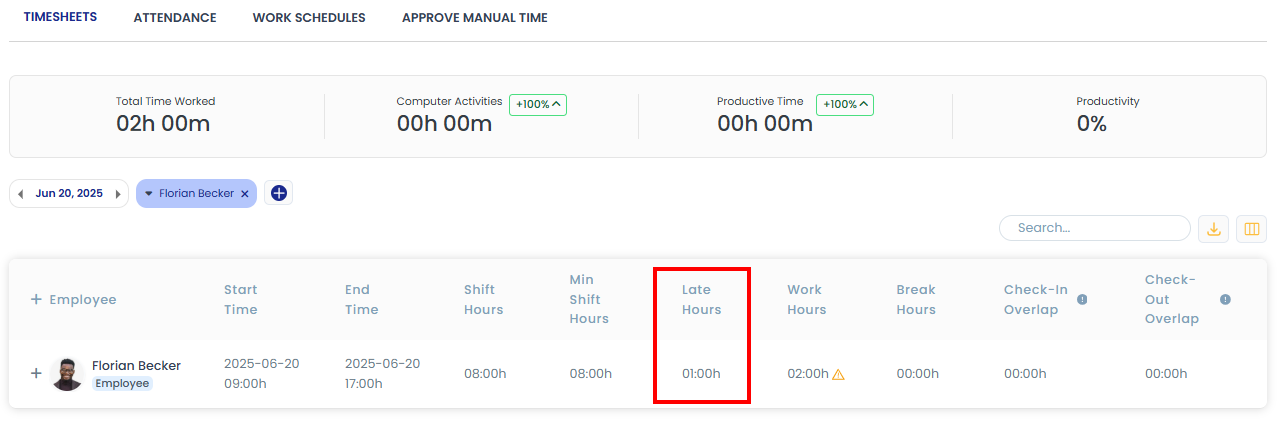
If the user starts tracking more than 15 minutes after the shift time, it will be counted as late hours.
For example: If a shift is from 9 AM to 5 PM and the user starts tracking at 10 AM, the late hours will be 01:00 hours.
Work Hours
Work time is the total duration between an employee's check-in and check-out.
Note: If the user's Work Hours are less than the Min shift hours they will be indicated with an alert icon.

Break Hours
Break time is the total time employees take for breaks during their work hours.
Check-in Before Shift
If the user starts tracking before the shift start time, that time will be counted in this column.
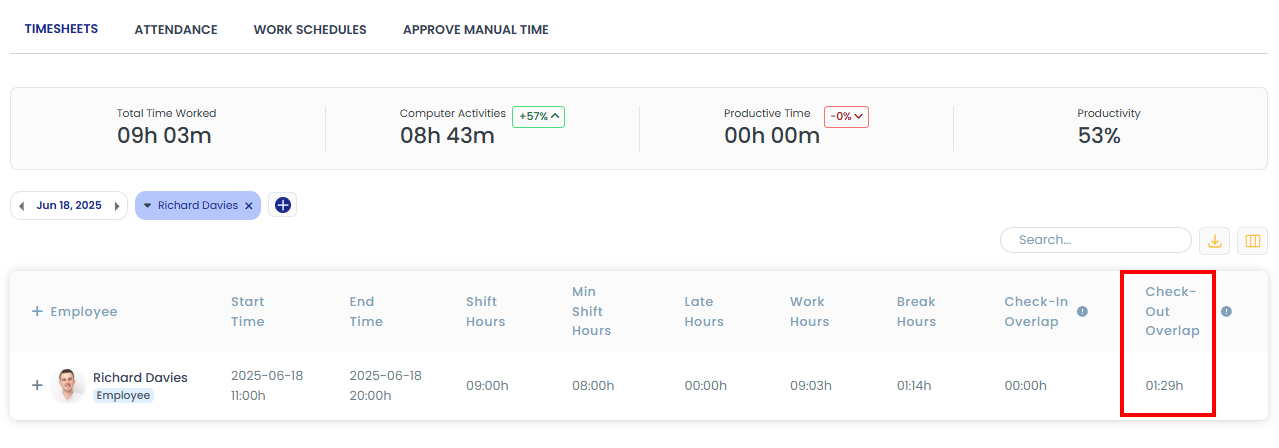
Check-out After Shift
If the user continues tracking after the shift end time, that time will be counted in this column.