User Management
Manage Employee Pay Rate
How can I change an employee's pay rate
Step 1:
Go to the Manage users page from the main menu under Settings.
Step 2:
Click on the three-dots menu, scroll down a little on the screen and set the employee’s pay rate here.
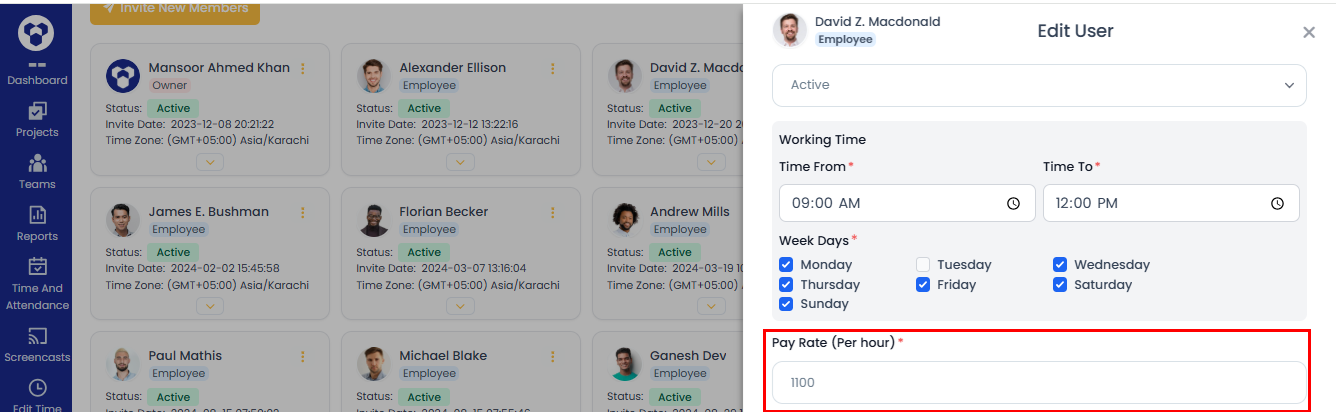
Note: Currency shall be USD ($), which you can see on Payroll page.