Organization Management
How can I Change the Permissions for the Manager?
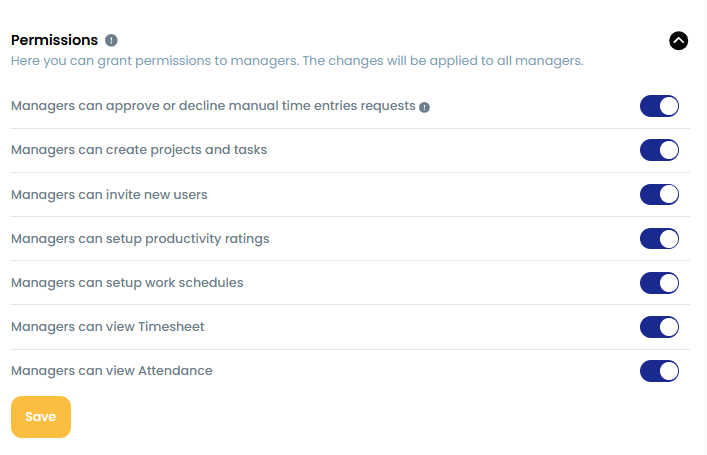
Owners and Admins can control what Managers are allowed to do in TraqNext by adjusting their permissions.
Steps:
Go to Company Settings.
Open the Permissions section.
Enable or disable the specific permissions you want to grant or restrict for Managers.
Related: User access levels and roles · Difference Between Admin and Manager