FAQ
How can I Turn off Screenshots?
Screenshots can only be turned off by users with the Owner or Admin role.
Steps (Owner/Admin only):
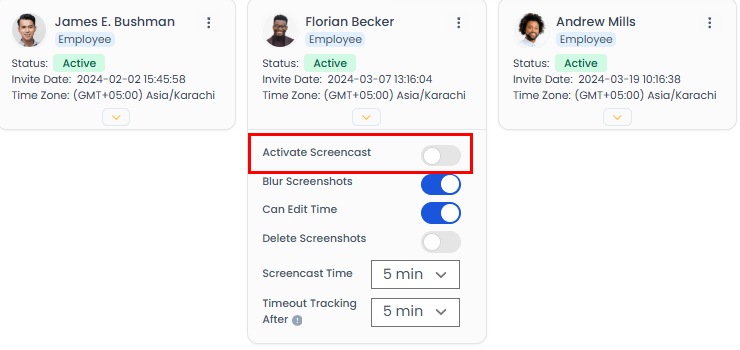
Go to Manage Users.
Find the employee whose screenshots you want to disable.
Turn off screencast for that user.
Note: Regular users and managers cannot disable this setting themselves — it requires Owner or Admin access.
Related: Screencast · Turn on blur screenshots