Desktop App
Uninstall TraqNext Desktop App
For Windows
Steps:
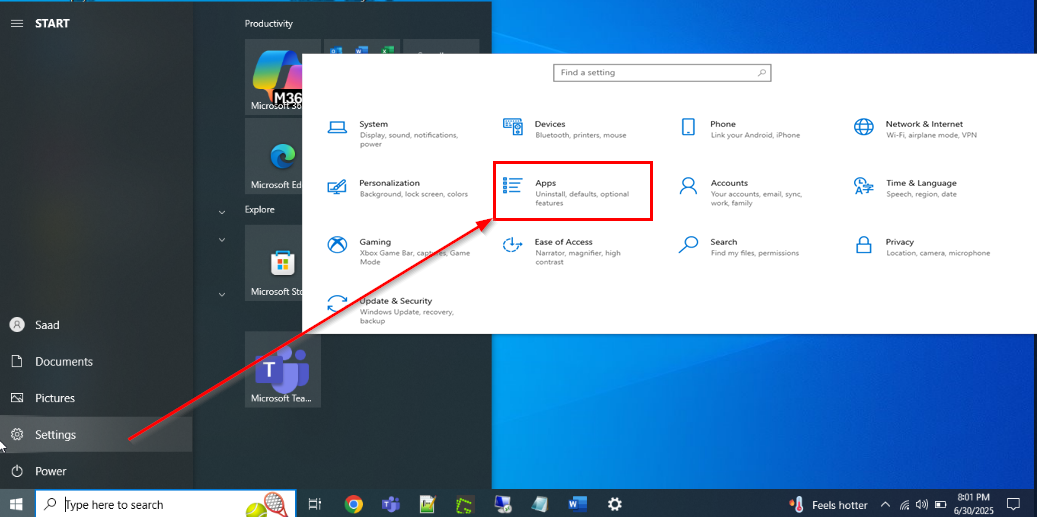
- Click the Start button in the bottom-left corner of your screen, select the Settings icon (gear symbol), then go to Apps to view your list of installed applications.
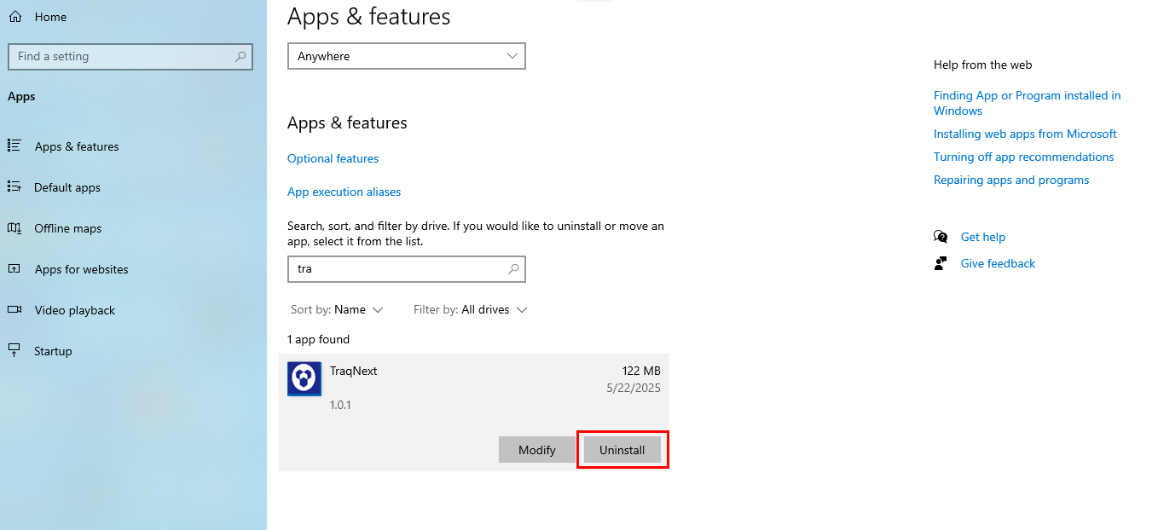
- Find TraqNext in the list, click Uninstall, and follow the prompts in the uninstallation wizard to remove it from your system.
Related: Install TraqNext desktop app for macOS · Where can I download the desktop app