Reports
Web and App Usage
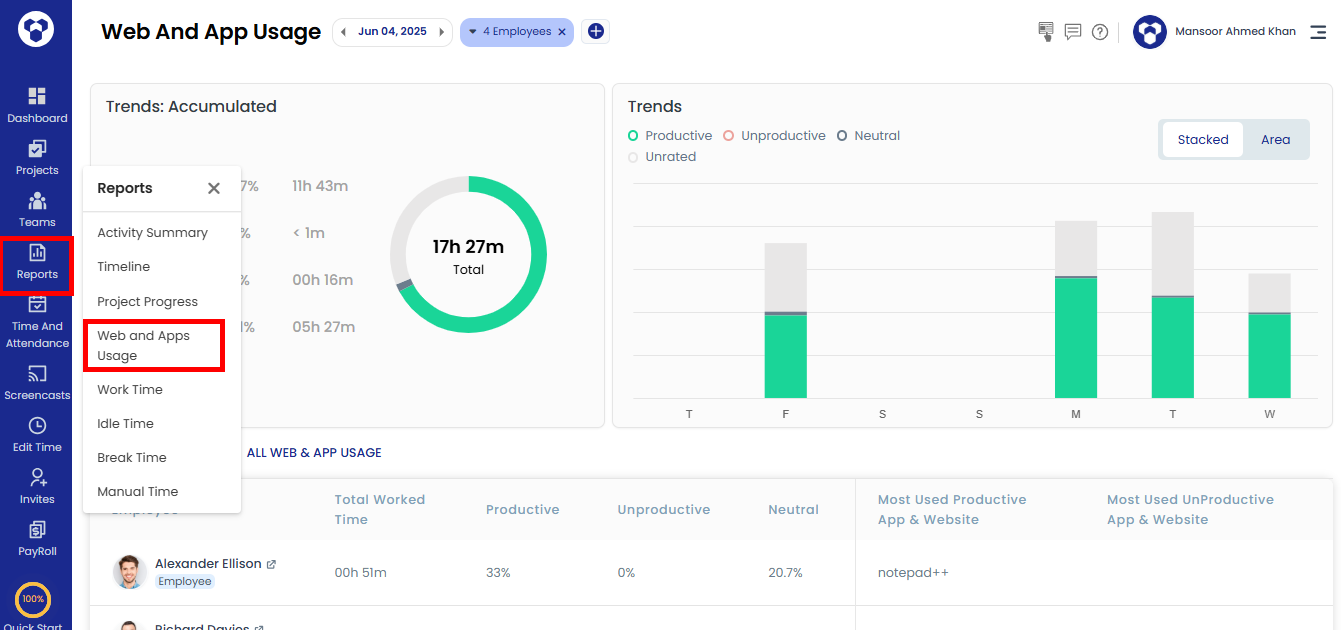
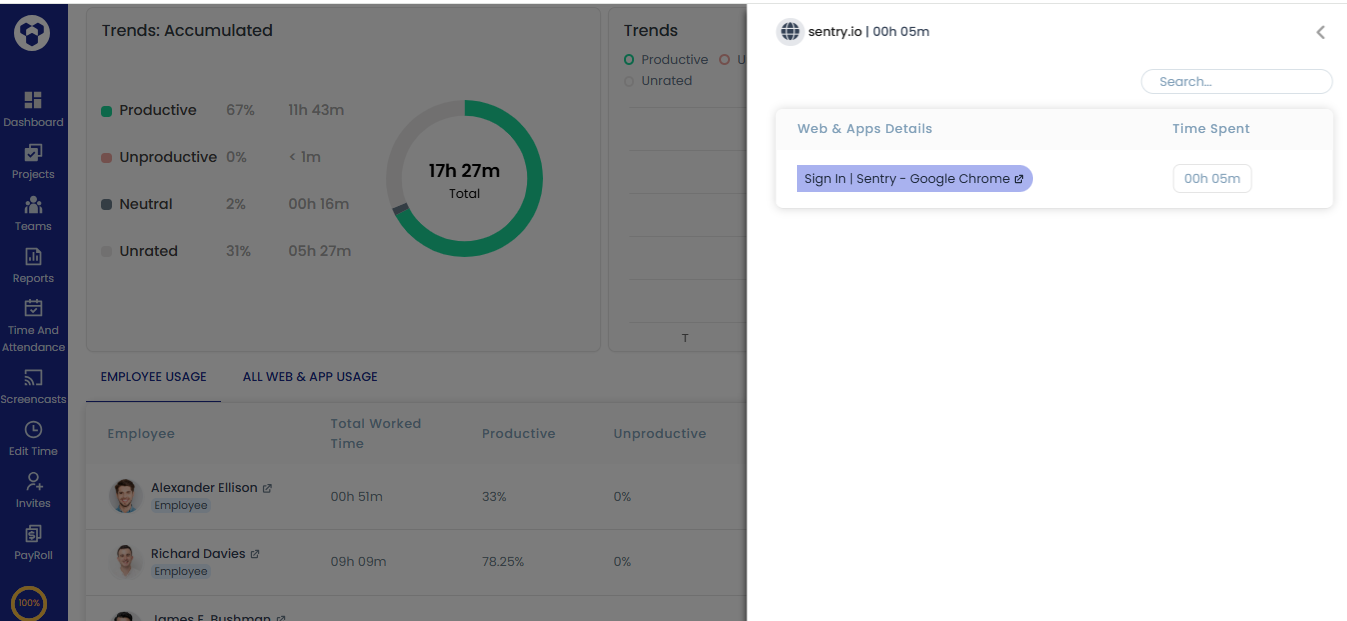
This report monitors website and application usage across your organization, with charts and drill-down details for productivity insights.
Chart overview:
- Trends: Accumulated — overall usage percentage across productive, unproductive, neutral, and unrated websites/apps for the organization.
- Daily trend chart — website and app usage broken down by day.
Note: Access to this report depends on your role — check the User Access Levels page for details.
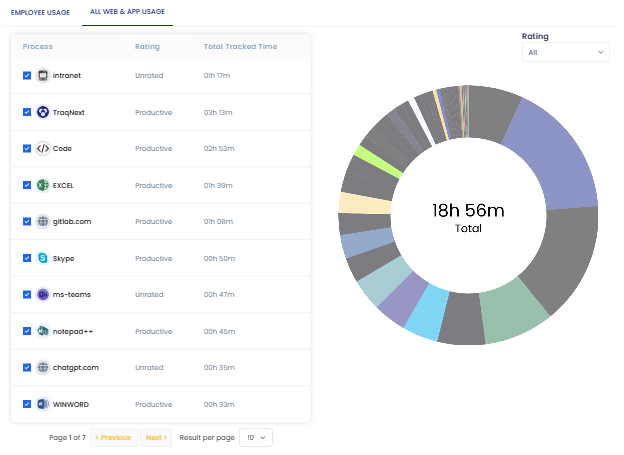
- Go to Reports → Web and App Usage, then click the All Web & App Usage tab.
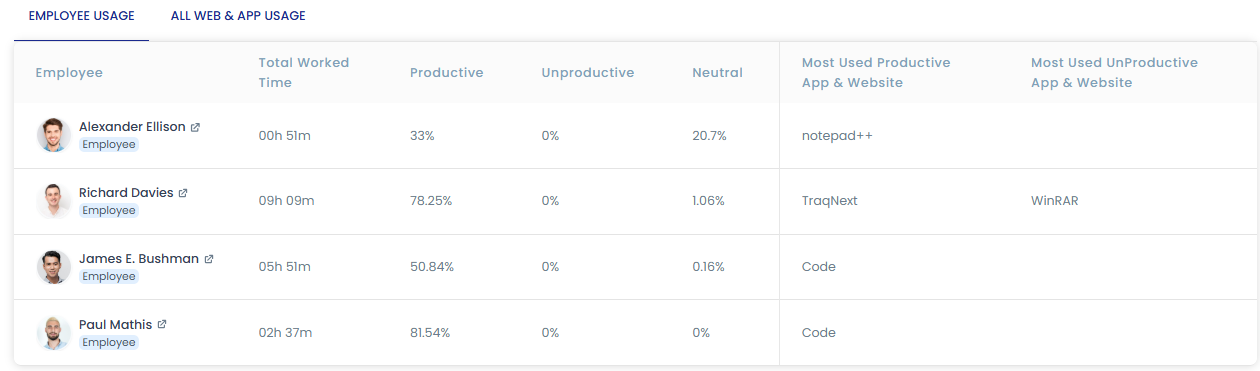
- If you've filtered by a specific employee, the Employee Usage tab shows that employee's productivity statistics.
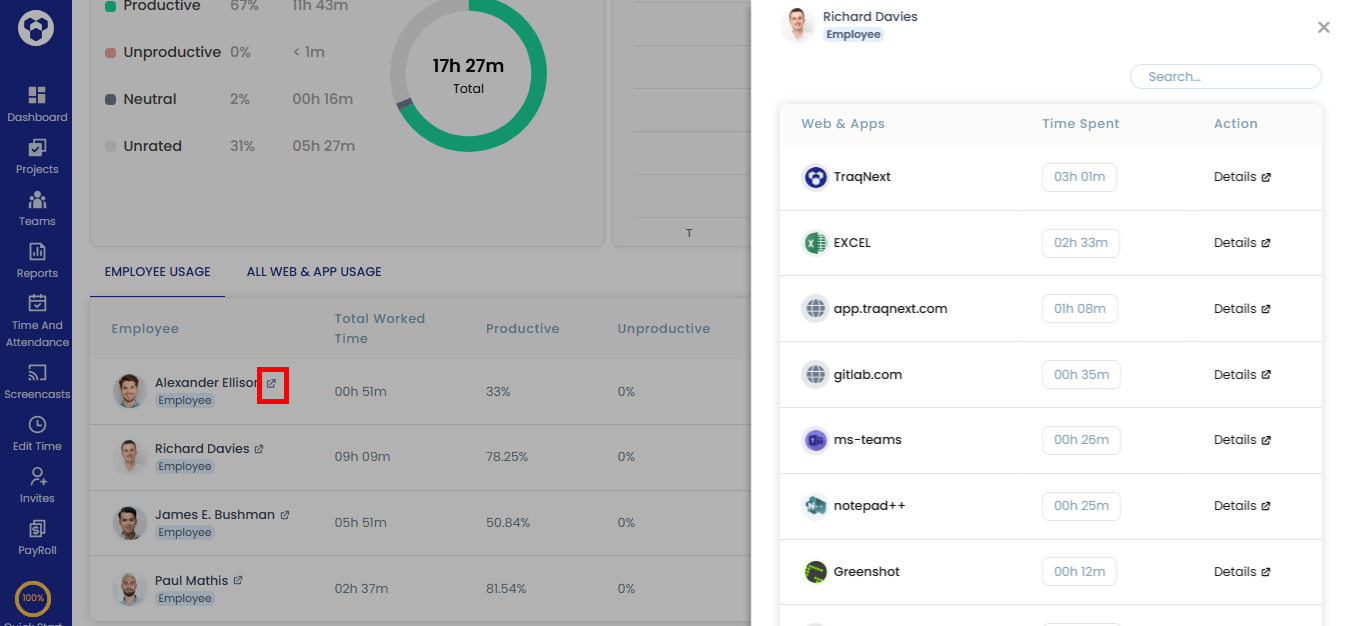
- Click an employee's name to see every website and app they used, with time spent on each. Click Details to drill further into specific webpages visited or app features used.
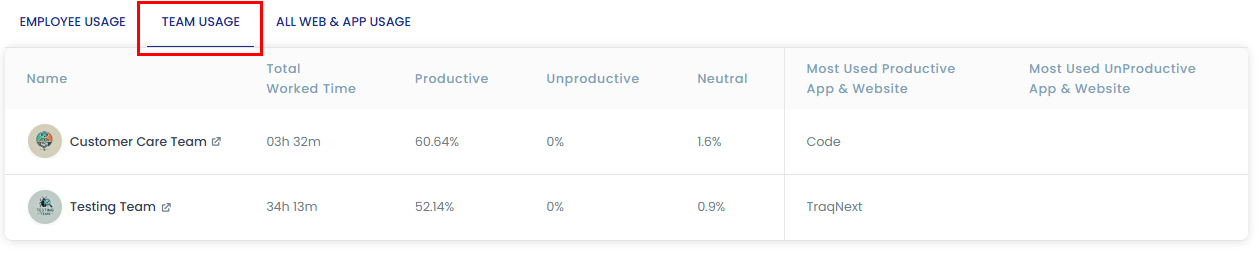
- If you've filtered by team(s), a Team Usage tab appears with team-level productivity statistics. Drill-down details work the same way as in step 3.
- Under All Web & App Usage, filter by rating (Productive, Unproductive, Neutral, Unrated) to update both the table and chart for a more targeted view.
Related: Manage web and app ratings · Dashboard