User Management
Delete Employees
How to Delete employees
Deleting an employee permanently removes their data from TraqNext — this action cannot be undone, so use it with caution.
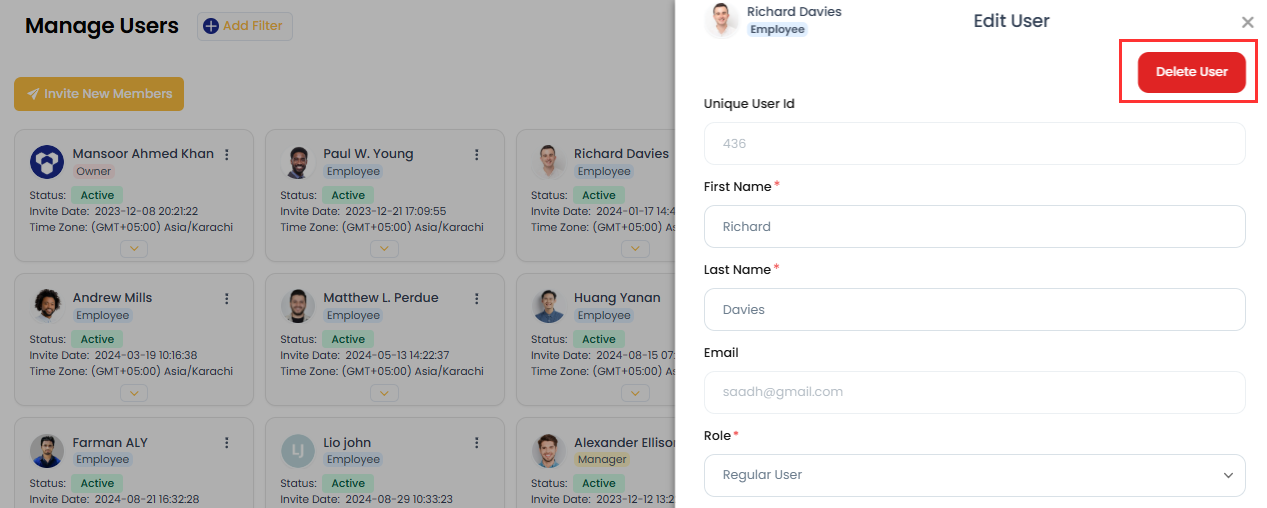
- Go to the Manage Users page.
- Click the three-dots menu beside the employee you want to delete.
- Click Delete User.
- Confirm the action in the dialogue box — the employee's data is then permanently removed.
Note: Deleted employee data is not recoverable. If you may need this data later, export user data before deleting.
Related: Employee roles · Edit employee tracking options