Project Management
How to Add a Task
Tasks can be added to a new or existing project in a few steps.
Steps:
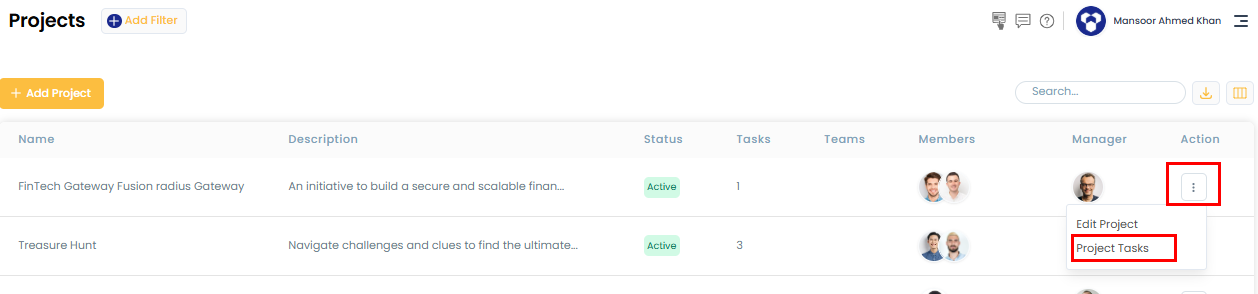
- Click the three-dot menu next to the project under the Action column, then select Project Task.
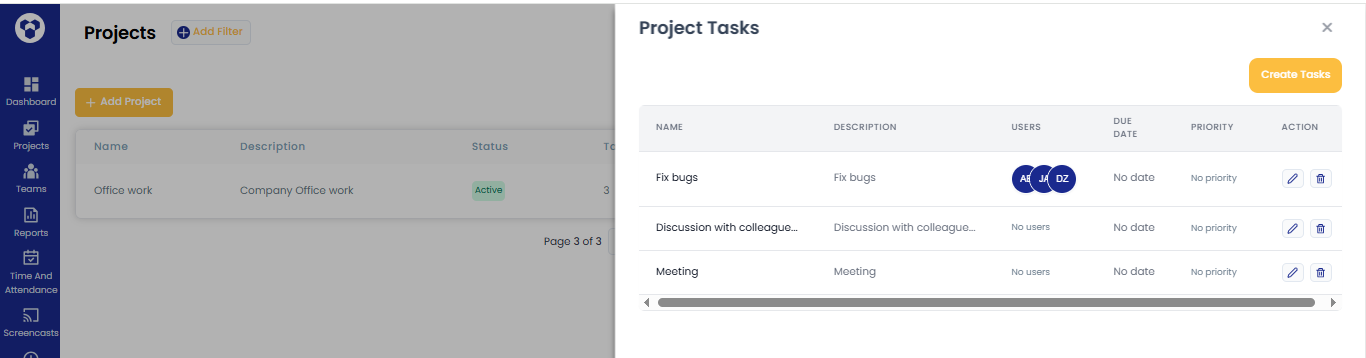
- Click Create Task — fields for task name, description, users, due date, and priority will appear. Fill these in and click the Save icon.
Note:
If a task isn't assigned to a specific user, it's visible to all members of that project.
If a task is assigned to a specific user, only that user can see it.
Related: How to edit the project · Default project